Battistics Remote for iPhone
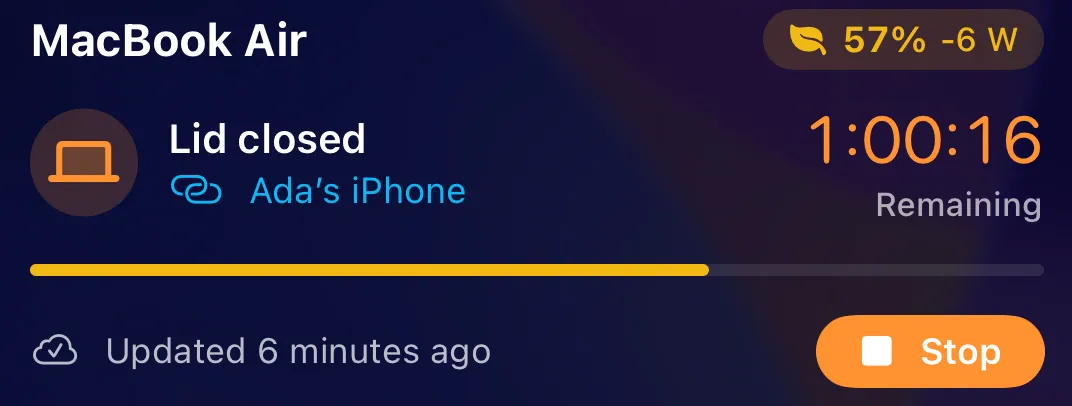
Battistics Remote shows the battery of each Mac on your Apple Account: charge and its last day, time left, power, health and temperature, the connection, the lid and the busiest apps and accessory batteries on request. It starts and stops Keep Awake, including with the lid closed, and changes Low Power Mode.
Setting up
Section titled “Setting up”- Install Battistics on the Mac.
- In Battistics, open iPhone and turn on Show this Mac in Battistics Remote.
- Sign in to iCloud on the iPhone and the Mac with the same Apple Account.
There is nothing to pair. The Mac and the iPhone talk through your private iCloud database, encrypted, with no server and no open port. Closed-lid sessions from the iPhone are allowed only if you turn that on in the same pane.
On the iPhone
Section titled “On the iPhone”- Home Screen and Lock Screen widgets
- A Lock Screen and Dynamic Island countdown with a Stop button
- A Control Center and Action Button control
- Siri and Shortcuts: Keep Awake, Let Sleep, Check Mac, Mac Low Power and Display Off
- Alerts when a session ends, the battery runs low, the Mac stops answering or reaches a charge level you pick
Without Wi‑Fi
Section titled “Without Wi‑Fi”A Mac set to join your iPhone’s Personal Hotspot automatically stays reachable from a bag. Battistics Remote reminds you before you close the lid on Wi‑Fi alone.
Removing a Mac
Section titled “Removing a Mac”If a Mac you erased or sold still shows, open its Details and choose Remove Mac. A Mac that is still sharing comes back with its next update.